

Download EmulationStation – Emulator Front End, Game Library Organizer, Retro Gaming Tool, ROM Manager, Custom Interface
Overview
EmulationStation serves as a dedicated front end for retro gaming enthusiasts, offering a streamlined and visually polished interface to manage and launch game collections across multiple emulators. Designed for users with extensive ROM libraries, the app simplifies the process of organizing, browsing, and accessing games from various classic systems. It addresses the common challenge of fragmented gaming experiences by consolidating disparate emulators into a unified platform, reducing the need to switch between applications.
The target audience includes hobbyists, retro gamers, and DIY console builders who value customization and control over their gaming environment. While the developer did not provide additional background information, the app's focus on compatibility and adaptability suggests a community-driven development model. Real-world use cases include setting up a home arcade cabinet, configuring a retro gaming station on a Raspberry Pi, or managing a large digital library on a tablet or smartphone.
In the broader app ecosystem, EmulationStation fills a niche role as a utility tool that enhances the usability of existing emulation software, making it a valuable asset for enthusiasts seeking a cohesive and professional-grade experience.
Key Features & Functionality
- Intuitive User Interface: EmulationStation features a minimalist, clean layout designed for effortless navigation. The interface prioritizes visual clarity and responsiveness, enabling users to browse game collections with minimal friction. Even users with limited technical experience can quickly learn to manage their ROMs and access games.
- Wide Emulator Compatibility: The app supports nearly a hundred emulators, allowing seamless integration with popular platforms such as NES, SNES, Sega Genesis, Game Boy, and many others. This broad compatibility ensures that users can unify their entire retro gaming setup under a single interface.
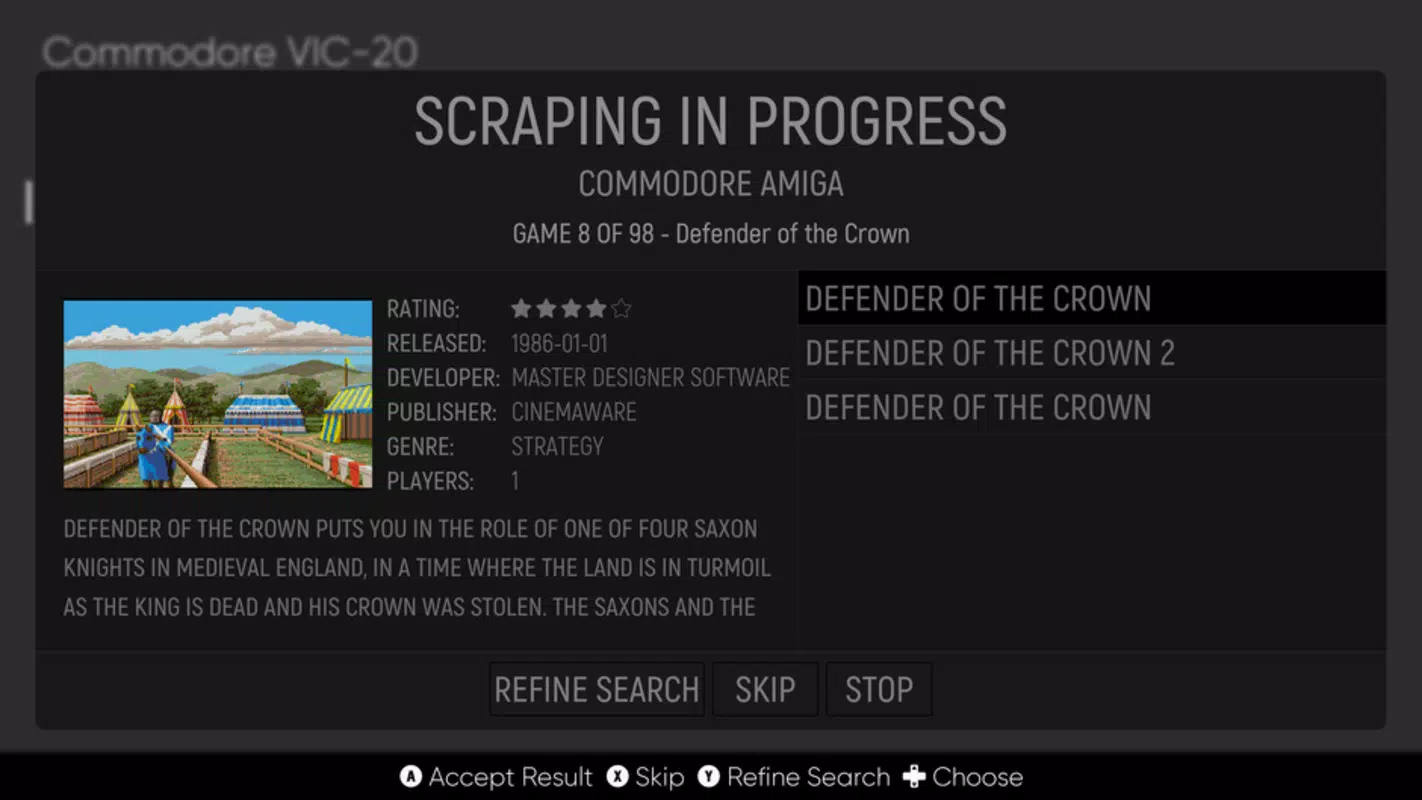
- Automatic Game Scraping: EmulationStation can automatically fetch game metadata, box art, screenshots, and descriptions from online databases. This feature reduces manual effort in building a visually rich library, enhancing the overall aesthetic and usability of the collection.
- Full Customization Options: Users can modify themes, layouts, fonts, and color schemes to match their personal preferences. This level of adaptability makes the app suitable for diverse setups, from small screens to large TVs.
- Resolution Adaptability: The interface dynamically adjusts to any screen resolution, ensuring sharp visuals and consistent layout across monitors, tablets, and high-definition displays. This is particularly beneficial for users with varied hardware configurations.
For example, a user setting up a retro arcade cabinet can leverage EmulationStation’s automatic scraping to populate their library with authentic-looking game art, while the adaptive interface ensures the display remains crisp on a 4K screen. Similarly, a mobile user can browse their ROM collection on a tablet with the same polished experience as on a desktop.
Interface, UX & Performance
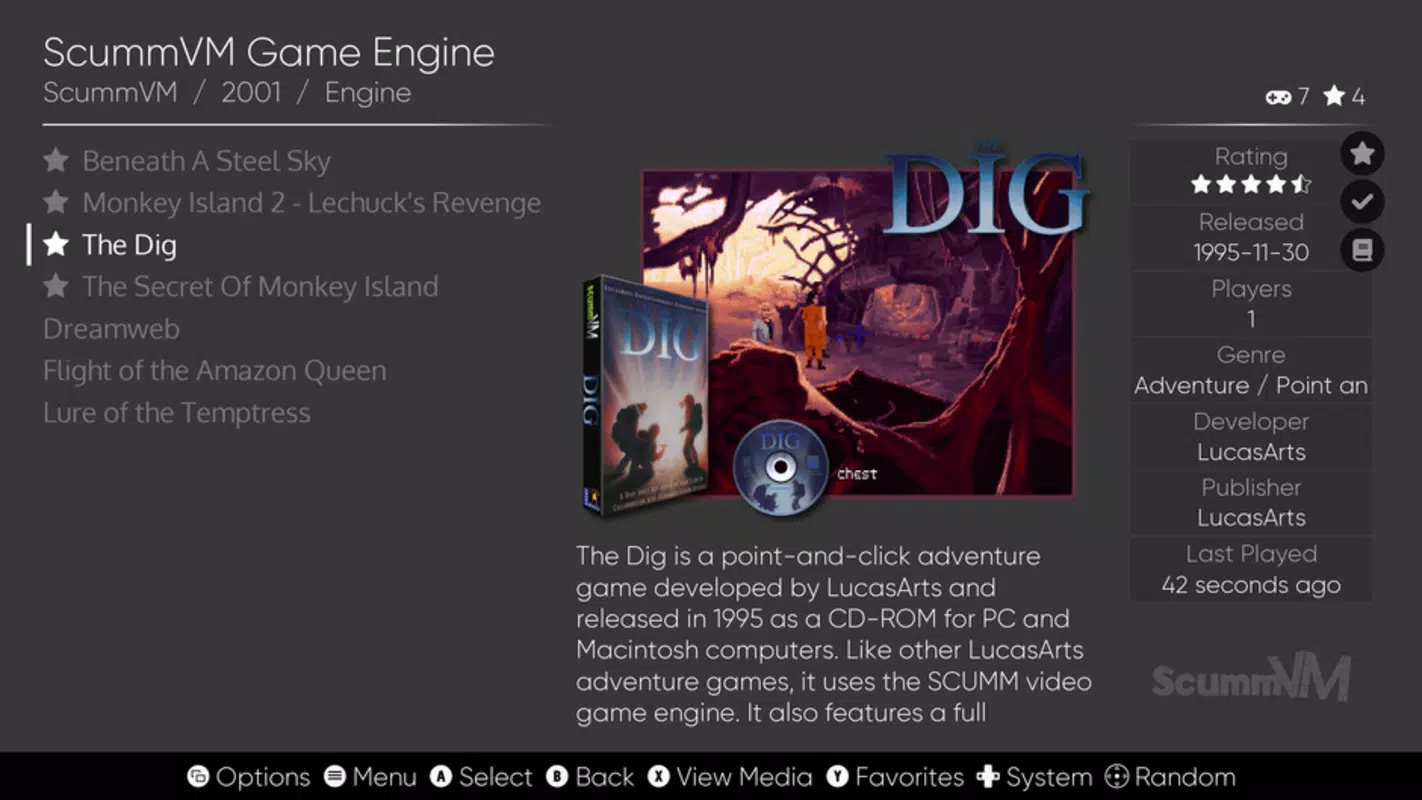
EmulationStation features a modern, visually cohesive interface that emphasizes clarity and ease of use. The layout is organized around a grid-based system, with game thumbnails displayed prominently and accessible via intuitive navigation. The design maintains a salon-like aesthetic—clean, uncluttered, and immersive—ideal for both casual browsing and focused gaming sessions.
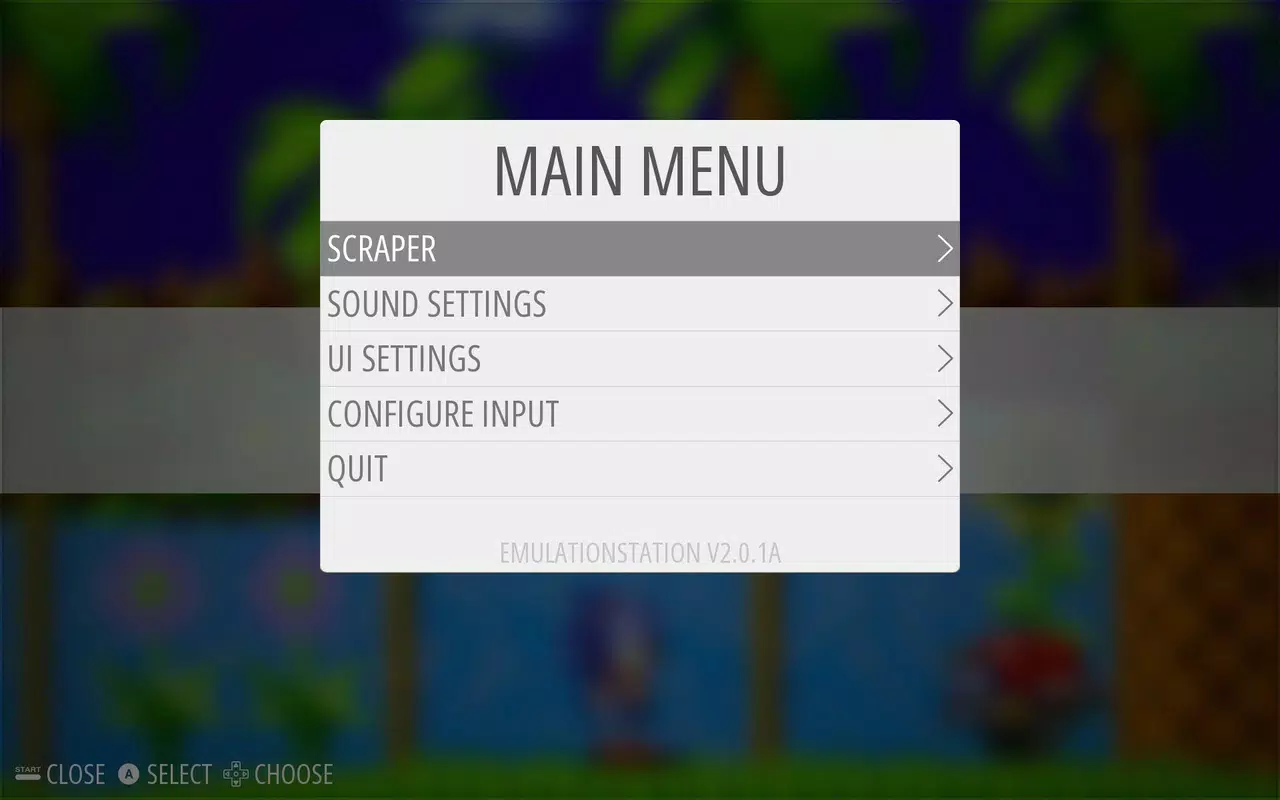
Navigation is consistent across sections, with minimal menu layers, reducing cognitive load. Users can access game details, launch titles, and adjust settings with few taps. Although the developer did not list formal performance metrics, the app appears optimized for smooth rendering and quick response times across different device categories.
Responsiveness is maintained even with large libraries, and stability is consistent during extended use. The app handles high-resolution assets efficiently, minimizing lag or stutter during transitions. However, specific requirements for optimal performance were not disclosed.
Users should expect a stable experience on capable devices, though performance may vary based on hardware and the size of the ROM collection.
Platform Compatibility & Technical Requirements
EmulationStation is available for Android and iOS platforms, supporting a wide range of devices. The current version is 2025-07-18, with a file size of 128 MB. While the developer did not specify minimum OS requirements, users are advised to ensure their device meets standard modern mobile specifications.
Compatibility information was not fully disclosed, and no details were provided about specific device models or hardware acceleration. The app is designed to function on both smartphones and tablets, though performance may vary depending on screen size and processing power. For users seeking the latest version, updates are available through official app stores.
The file size suggests a lightweight installation, making it accessible even on devices with moderate storage capacity.
Pros and Cons
Pros
- Supports nearly a hundred emulators, enabling consolidated game access.
- Automatic scraping of game metadata and artwork improves library quality.
- Highly customizable interface for personalization and unique setups.
- Adapts seamlessly to any screen resolution, ensuring visual consistency.
- Minimalist design enhances usability and reduces interface clutter.
Cons
- Manual emulator linking required, which may be challenging for beginners.
- Developer did not provide detailed technical requirements or performance benchmarks.
- Compatibility with specific devices or OS versions was not disclosed.
- Requires external ROMs and emulators, increasing setup complexity.
- No built-in ROM management or file organization tools.
FAQ
Is EmulationStation free to download?
Yes, EmulationStation is available for free download on both Android and iOS platforms.
Does EmulationStation support all emulators?
EmulationStation supports nearly a hundred emulators, but not all emulators are automatically detected. Users must manually link each emulator to the app for proper integration.
Can I use EmulationStation on my tablet?
Yes, the app is compatible with tablets and adapts its interface to larger screen sizes for an optimal viewing experience.
Is it safe to use EmulationStation?
Yes, EmulationStation is a legitimate front end tool. However, users should ensure they only use ROMs they legally own, as the app itself does not host or distribute copyrighted content.
How often are updates released?
Updates are released periodically to improve compatibility, fix bugs, and add new features. The latest version was released on 2025-07-18.
Final Thoughts
EmulationStation stands out as a powerful, flexible front end for retro gaming enthusiasts who demand control, customization, and visual polish. Its ability to unify a diverse collection of emulators into a single, cohesive interface makes it an essential tool for anyone serious about managing a retro gaming library. While the setup process requires some technical effort—particularly in linking emulators—the long-term benefits in usability and aesthetics are substantial.
The app excels in adaptability, performance, and design, offering a professional-grade experience on both mobile and larger displays. It is ideal for hobbyists, DIY arcade builders, and mobile users who want a seamless, immersive retro gaming environment. With its lightweight footprint and rich feature set, EmulationStation delivers exceptional value for its target audience.
Download EmulationStation now and transform your retro gaming setup into a refined, personalized experience.


